

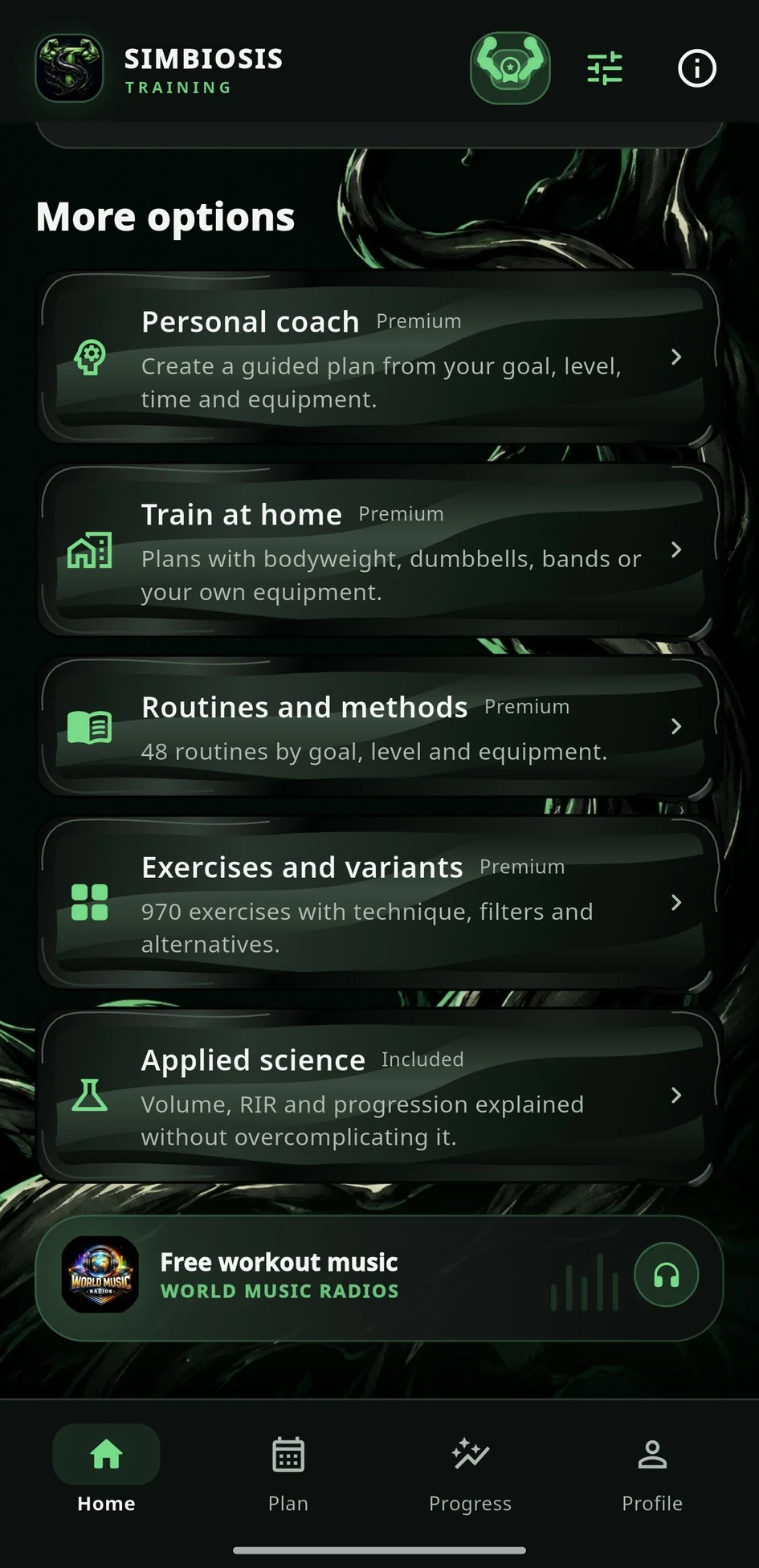
01
Start with today's workout
Home shows the prepared session, its duration and one clear button to begin.
Personalized gym workout app
Simbiosis builds a gym routine around your goal, equipment, time and level, then guides warm-ups, exercise technique, RIR, rest and nutrition in one training app.


What it does for you
Complete training library
Simbiosis brings together 56 real templates and 30 method families for strength, hypertrophy, home and gym, from beginner to advanced.
The app recommends the best fit for your profile. You can also explore, compare and change it.
Explore routines and methodsQuick tutorial
You do not need to learn the app first. Follow this flow once and Home will tell you what to train today.
Swipe to see the complete journey →
Home shows the prepared session, its duration and one clear button to begin.
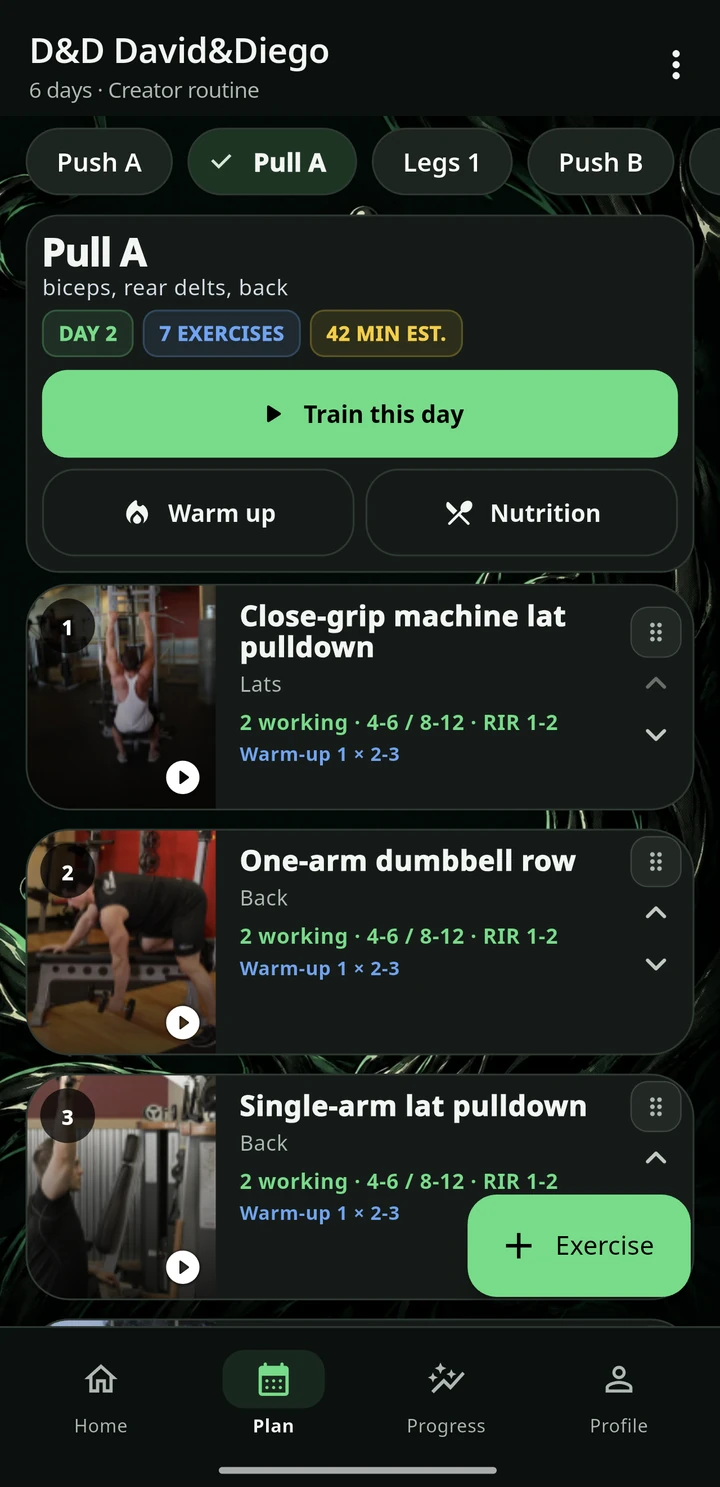
Check the plan, working sets and targets before you train.
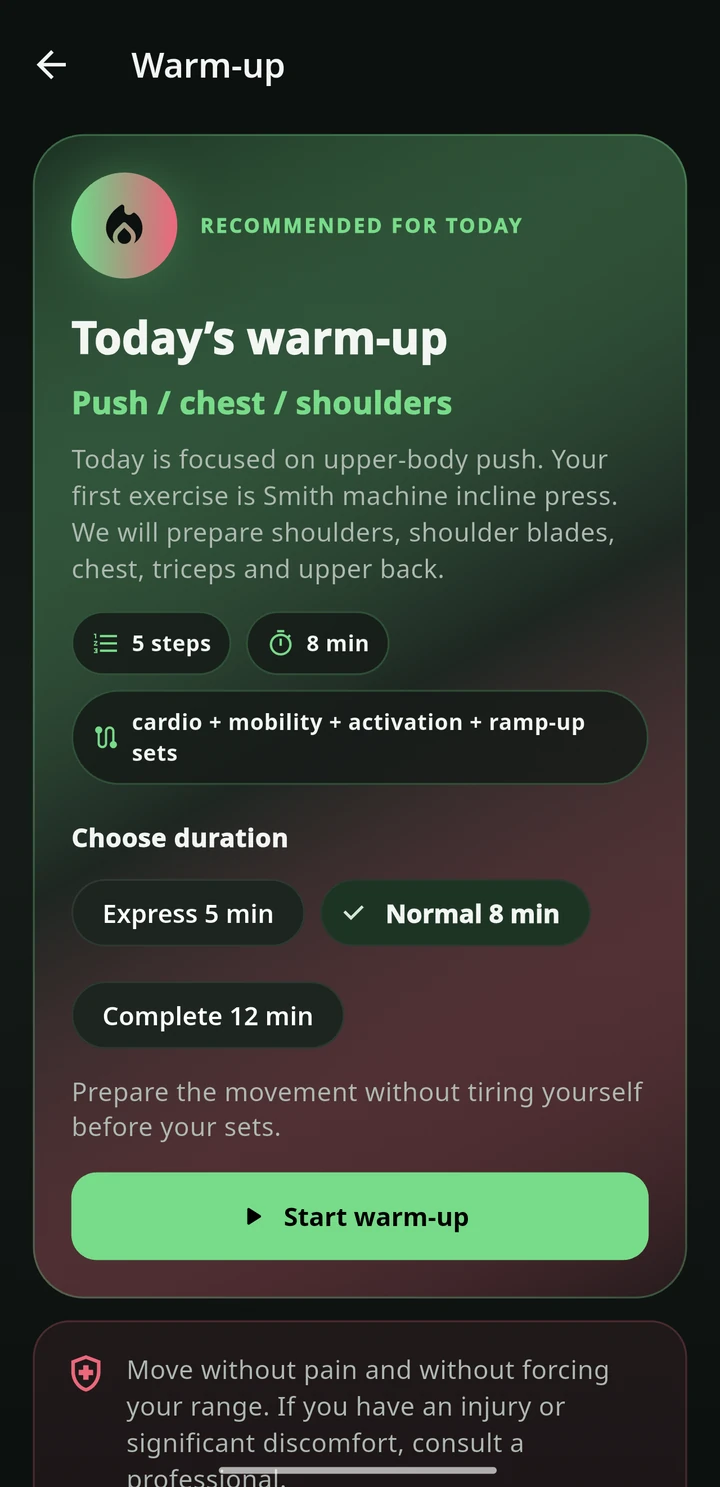
Choose a duration and follow mobility, activation, technique and ramp-up work tailored to the workout.
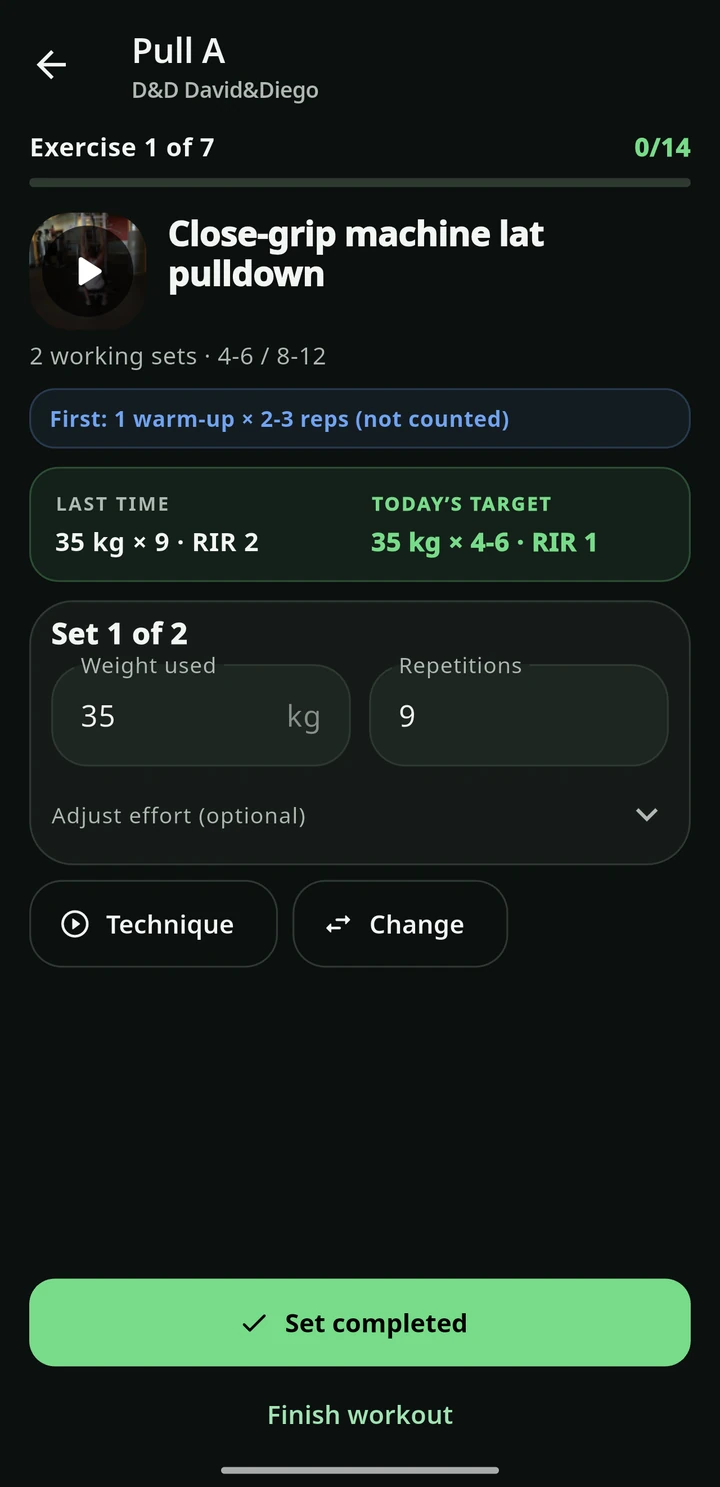
Enter weight and reps, adjust RIR if needed and tap Set complete.
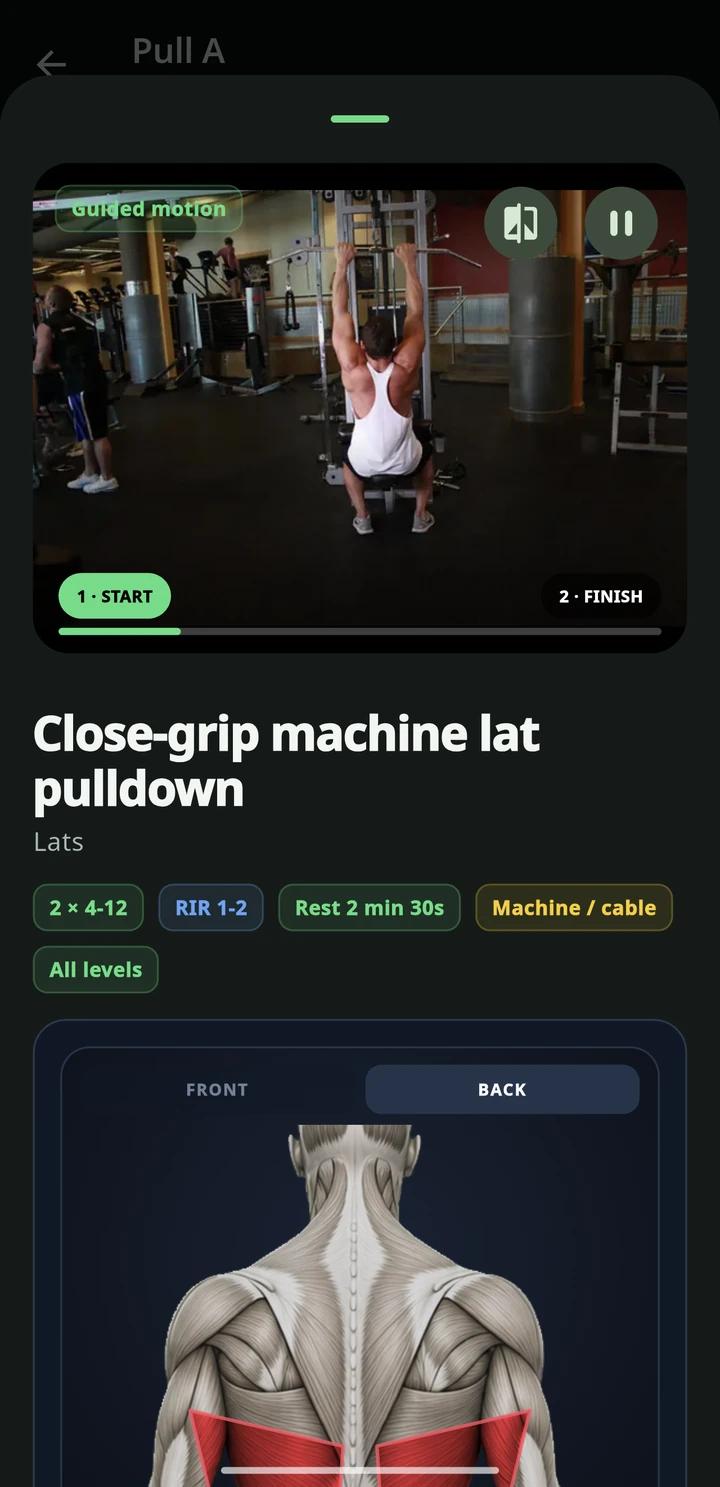
Open technique with one tap. If equipment is busy, use Change.
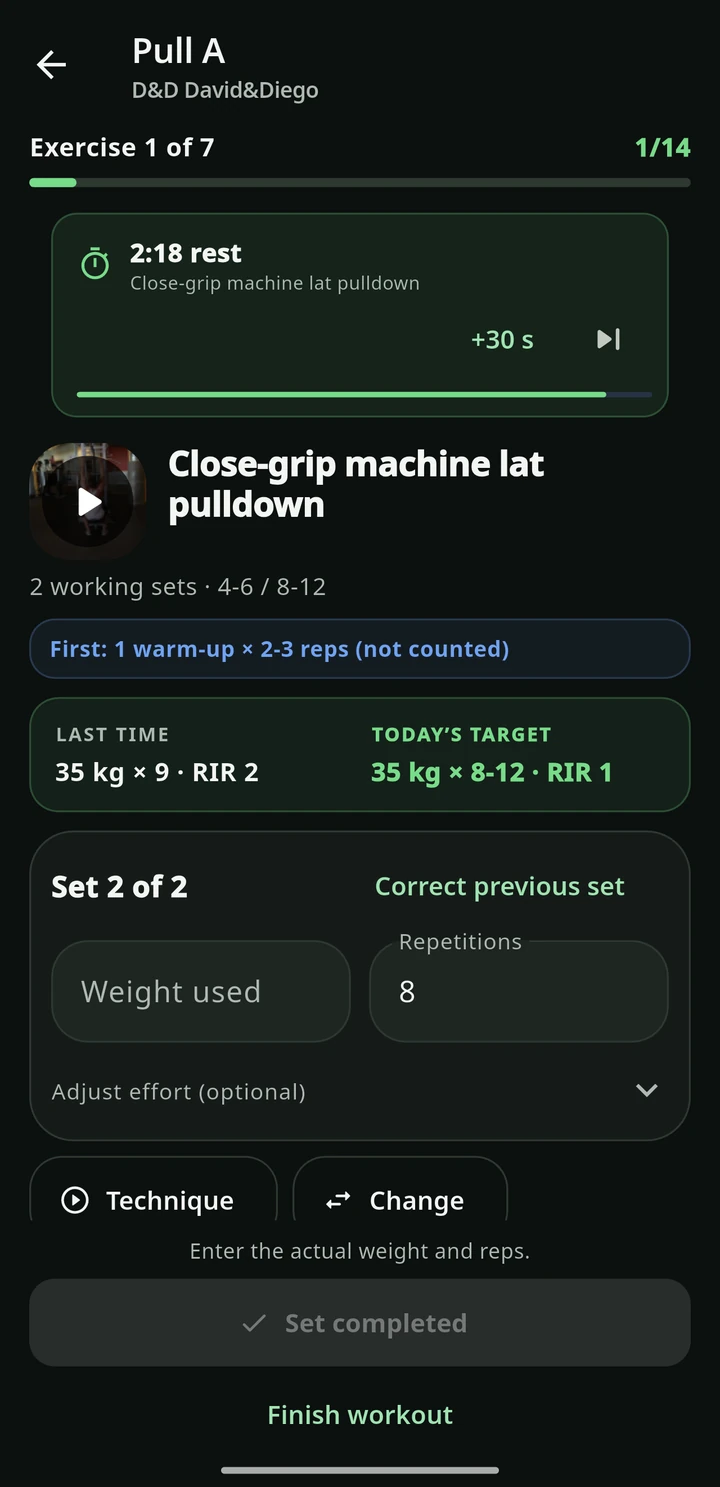
The timer starts when the set closes. You can adjust or skip it.


Check daily targets and log meals to support training and recovery.
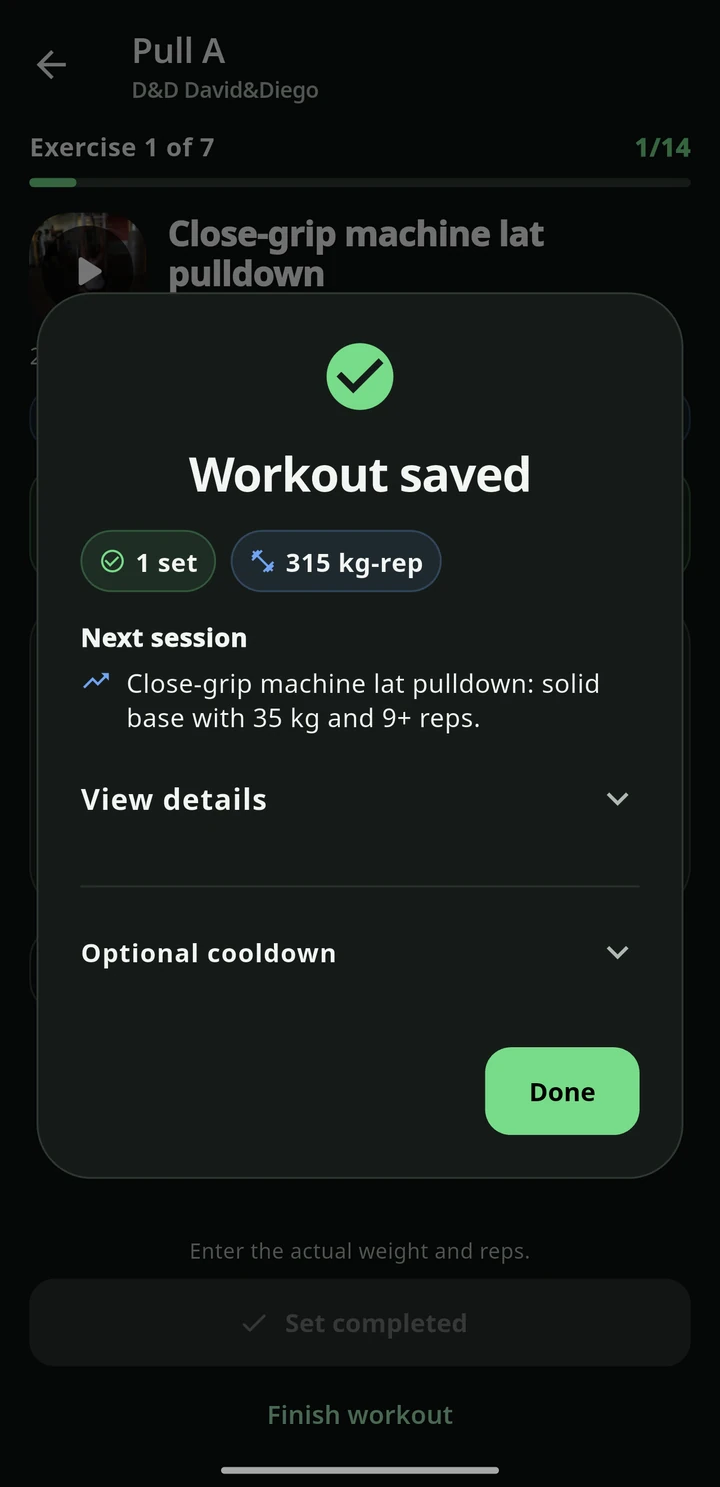
Save the session. History, achievements and logs guide what comes next.
Advanced training routine
An intermediate-to-advanced six-day routine: pushes, pulls and two leg sessions, with ramp-up and working sets. Follow it, adapt it and log every set in the app.
What Simbiosis does
Simbiosis is more than a workout table. It organizes what you do before, during and after training, then connects that information with nutrition and progress.
Less improvising. More control. A routine you can follow, log and review without losing focus.

From the same makers
World Music Radios: the world's stations live, by genre and mood. Free.
Privacy and publishing
You can start without registering. The app has no ads, stores training data locally and manages Premium through Google Play. The policy explains optional authentication, photos, progress and deletion.